VIU is a digital insurance platform developed by HUB International to make quoting, purchasing, and managing insurance fully digital. As the platform scaled, one foundational element began to erode consistency across the experience: the Button component. What appeared to be a small UI element had quietly become a systemic usability issue.
I led a full redesign of the Button component within the VIU design system, not just to clean up visuals, but to restore clarity, consistency, and behavioural logic across the product. Because buttons power nearly every key action in a transactional insurance flow, any inconsistency had downstream effects on validation, navigation, and user trust.
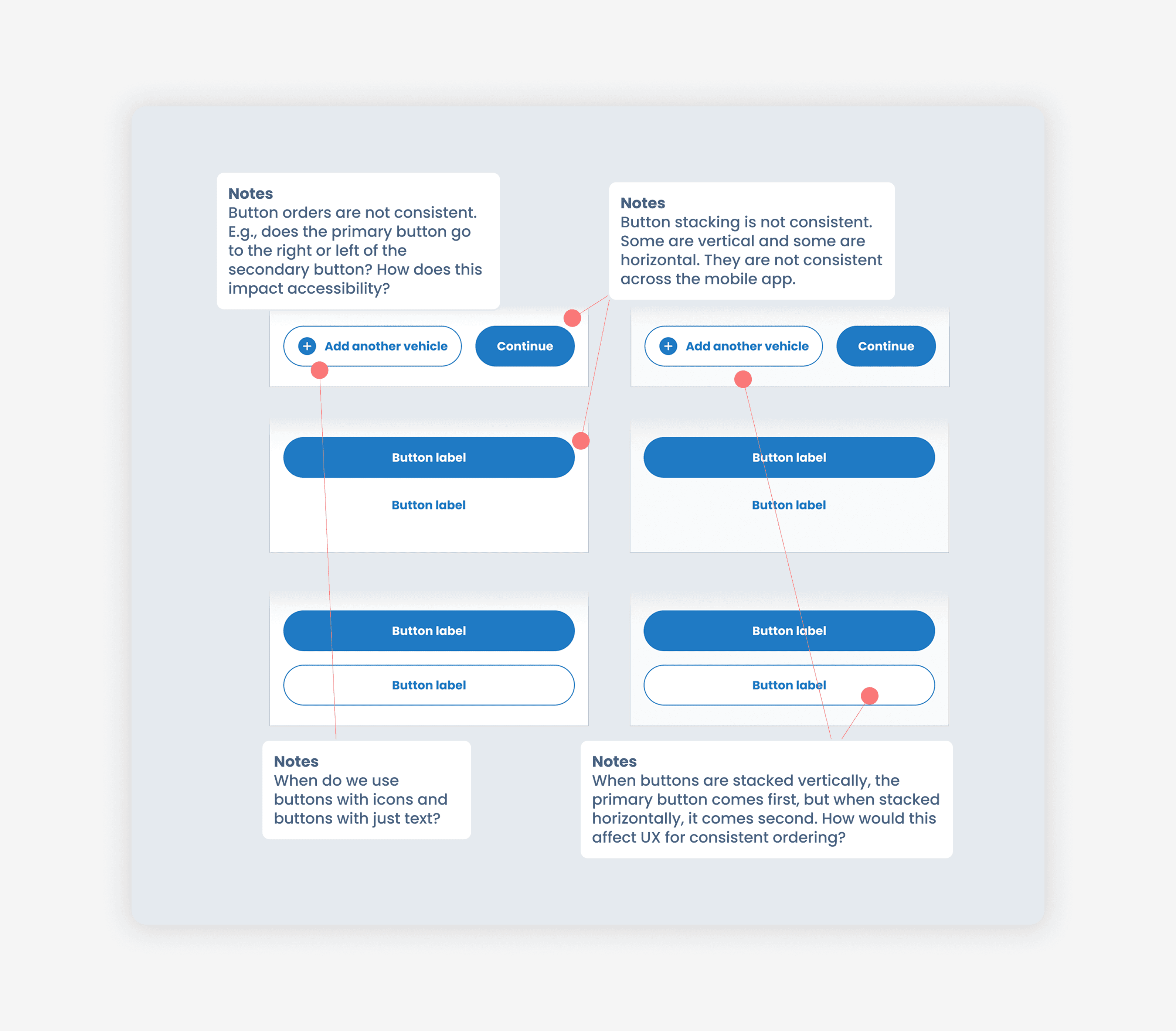
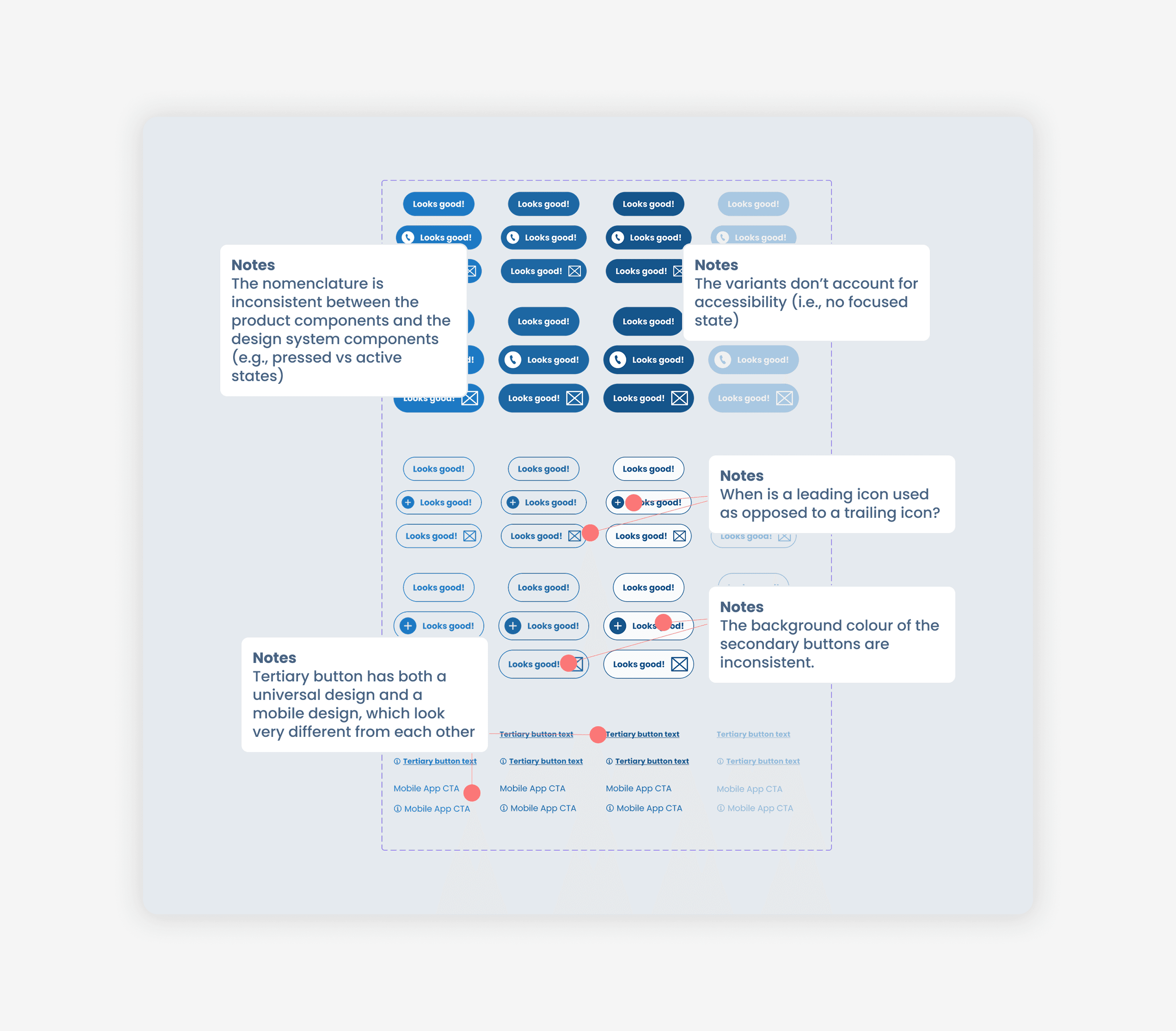
The problems were structural. Over time, the component had fragmented into 60+ loosely defined variants. Padding, styling, and nomenclature were inconsistent. Desktop and mobile components diverged. States were missing. Some interactions were broken in prototype. More critically, unclear distinctions between primary, secondary, tertiary, and link-style buttons led teams to use them interchangeably. This created inconsistent patterns, particularly in stacked button layouts and form validation, which directly impacted usability.
At its core, this wasn’t a styling issue. It was a systems issue.
I began with a comprehensive audit to understand how the Button was being used across flows. From there, I reframed the work around a guiding principle: less, but better. I consolidated desktop and mobile into a single responsive system and rebuilt the component architecture so properties that had previously existed as separate variants could live within one flexible parent component.
To ensure we weren’t solving in isolation, I conducted a deep comparative analysis of established systems, including Material Design, Ant Design, Polaris, Adobe Spectrum, Atlassian, and Lightning, identifying shared conventions that users are already trained to understand. Familiarity became a design constraint.
One of the most impactful shifts was behavioral. For example, disabled buttons in empty input forms were causing confusion and validation issues. Instead of blocking action entirely, we redesigned the pattern to keep buttons enabled and provide live error feedback, aligning interaction with user expectation and improving clarity across journeys.
The redesign required careful orchestration. Because the Button component touched molecular components, stacked layouts, and entire page templates, publishing updates meant deprecating legacy variants, documenting new usage patterns, and systematically implementing changes across existing design files without breaking workflows.
We shipped:
A rebuilt Button component architecture consolidating 60+ variants down to 15
A unified responsive system across desktop and mobile
Clearly defined hierarchy between primary, secondary, tertiary, and link actions
Updated UX patterns for stacked buttons and form validation
Comprehensive documentation and migration guidelines for designers and developers
The impact extended far beyond a single component. By clarifying hierarchy and reducing ambiguity at the interaction level, we created a domino effect across the platform, resolving pattern inconsistencies, improving validation flows, and strengthening overall usability. Designers and developers gained a more intuitive, scalable system. Users experienced clearer actions and fewer interaction misunderstandings.
This project reinforced a core belief in my product thinking: design systems are product infrastructure. When foundational components are intentional and coherent, the entire experience becomes more resilient. When they aren’t, friction compounds. Refining the Button wasn’t about aesthetics; rather, it was about restoring structural integrity to the platform.